

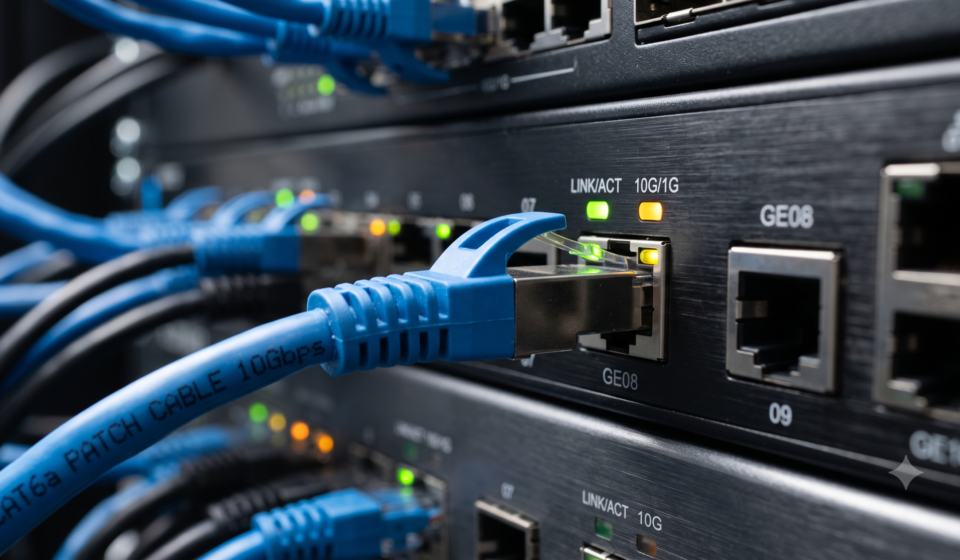
CompTIA Network Lesson 2.1: Summarize Ethernet Standards New

If you’ve ever opened a networking textbook and felt your eyes glaze over at terms like 10BASE-T, 100BASE-TX, or IEEE 802.3, you’re not alone. Ethernet standards look intimidating at first, but the naming system is actually logical once someone walks you through it — and that’s exactly what this guide does.
By the end of this article, you’ll understand what Ethernet standards are, why they exist, how to decode their naming convention, and which standard fits which real-world scenario.
Table of contents
- What Is an Ethernet Standard, Really?
- Who Writes These Standards?
- IEEE 802.3: The Backbone of Wired Networking
- Decoding Ethernet Standard Names
- The Most Common Ethernet Standards You Should Know
- Ethernet vs. Wireless: A Quick Contrast
- Why Understanding Ethernet Standards Actually Matters
- Frequently Asked Questions
- Final Thoughts
What Is an Ethernet Standard, Really?
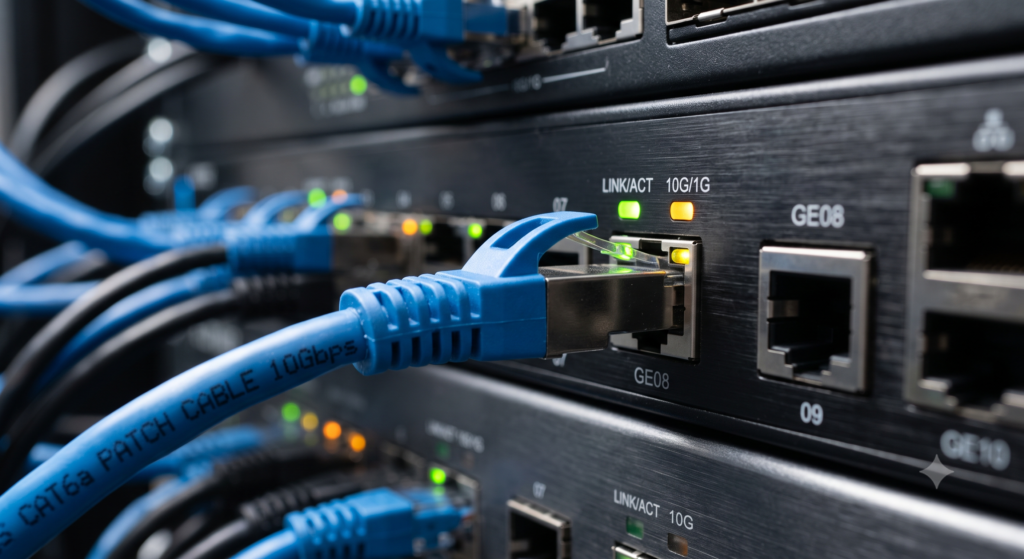
An Ethernet standard is simply a rulebook. It tells manufacturers exactly how a network device should send and receive data — what speed to use, what type of cable to expect, how far a signal can travel, and how devices should behave when two of them try to “talk” at the same time.
Without these rulebooks, a network card from one company might not understand a switch from another company. Standards exist so that Ethernet equipment — regardless of brand — can plug in and simply work.
Who Writes These Standards?
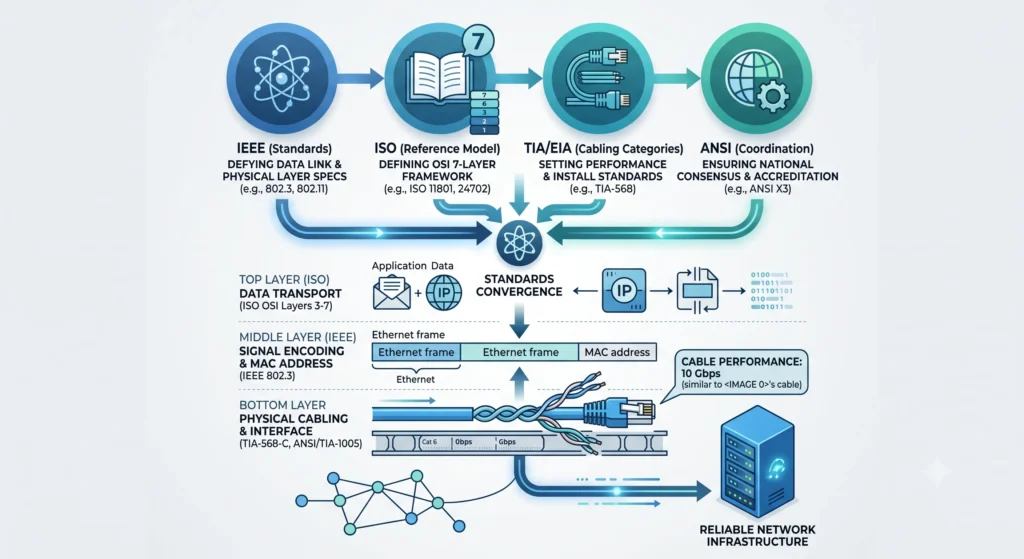
Several organizations are involved in shaping the networking world you rely on every day:
- IEEE (Institute of Electrical and Electronics Engineers) — writes the actual Ethernet standards under the IEEE 802 family
- ISO (International Organization for Standardization) — maintains the OSI reference model that networking concepts are built around
- TIA/EIA — defines structured cabling standards (this is where cable “categories” like Cat 5e and Cat 6 come from)
- ITU-T — sets global telecommunication standards
- ANSI — coordinates the standards-development process in the US
For everyday Ethernet work, though, one organization matters most: the IEEE, and one standard matters most: 802.3.
IEEE 802.3: The Backbone of Wired Networking
Nearly every wired LAN in the world today traces back to a single standard: IEEE 802.3. It defines Ethernet at the physical layer (how bits travel over cable or fiber) and part of the data link layer (how those bits are organized into frames).
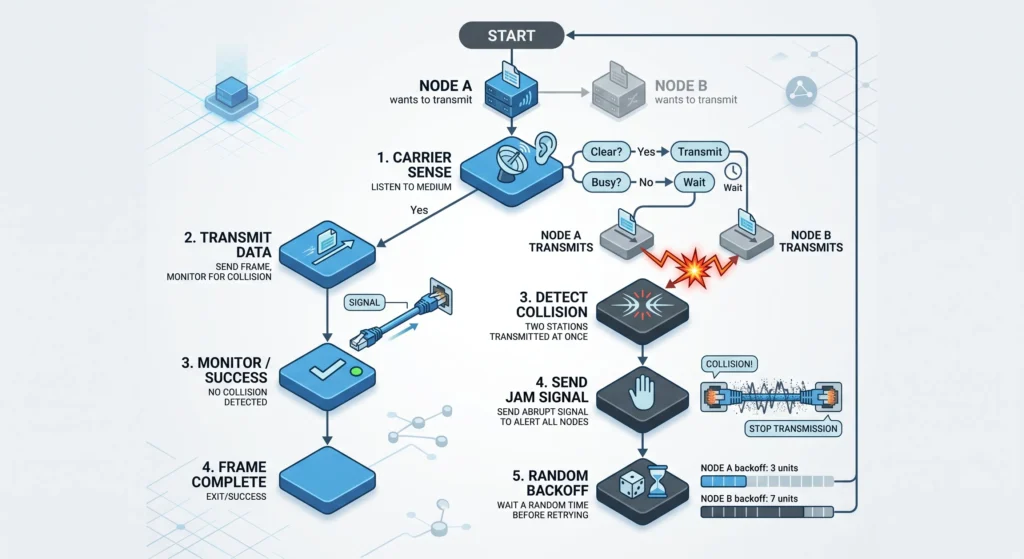
A core concept baked into 802.3 is CSMA/CD — Carrier Sense Multiple Access with Collision Detection. Here’s the plain-English version:
- A device “listens” to the network to check if it’s free.
- If it’s clear, the device sends its data.
- If two devices send data at the same moment, a collision occurs.
- The device that detects the collision sends a “jam” signal telling everyone to stop.
- Each device waits a random, tiny amount of time (usually 1–2 milliseconds) before trying again.
It’s the same courtesy as waiting for a dial tone before making a phone call — except computers do it thousands of times per second. Note that modern switched, full-duplex networks rarely experience collisions anymore, but understanding CSMA/CD is still essential because it explains why Ethernet works the way it does.
Decoding Ethernet Standard Names
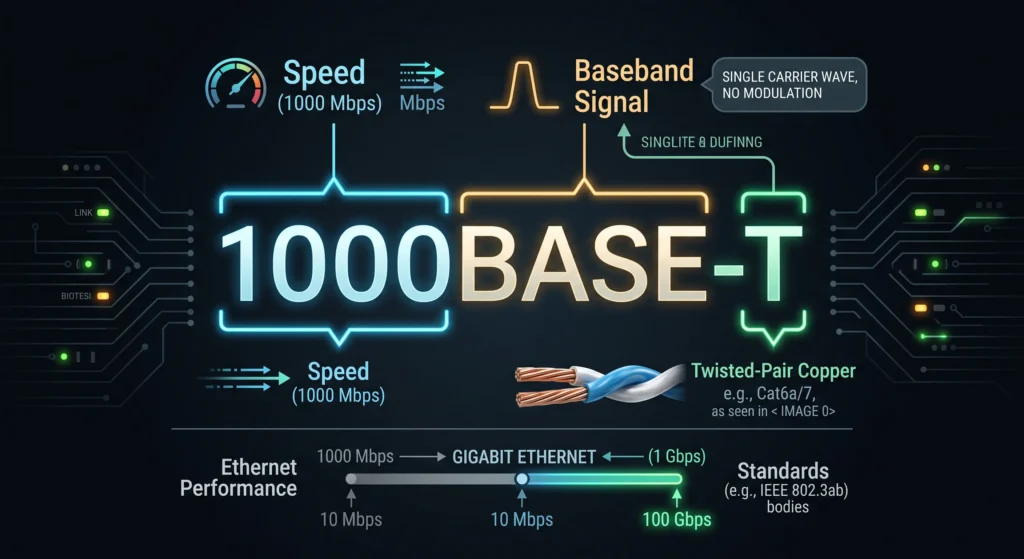
This is the part most beginners find confusing — but the naming pattern is actually simple once you break it down. Take 10BASE-T as an example:
- 10 → the speed, in this case 10 Mbps
- BASE → baseband transmission (the entire cable bandwidth is dedicated to one signal at a time)
- T → the medium, here meaning twisted-pair copper cabling
Once you know this pattern, almost every Ethernet standard name becomes self-explanatory.
The Most Common Ethernet Standards You Should Know
| Standard | Common Name | Speed | Typical Cable | Max Distance |
|---|---|---|---|---|
| 10BASE-T | Ethernet | 10 Mbps | Cat 3 | 100 m |
| 100BASE-TX | Fast Ethernet | 100 Mbps | Cat 5 | 100 m |
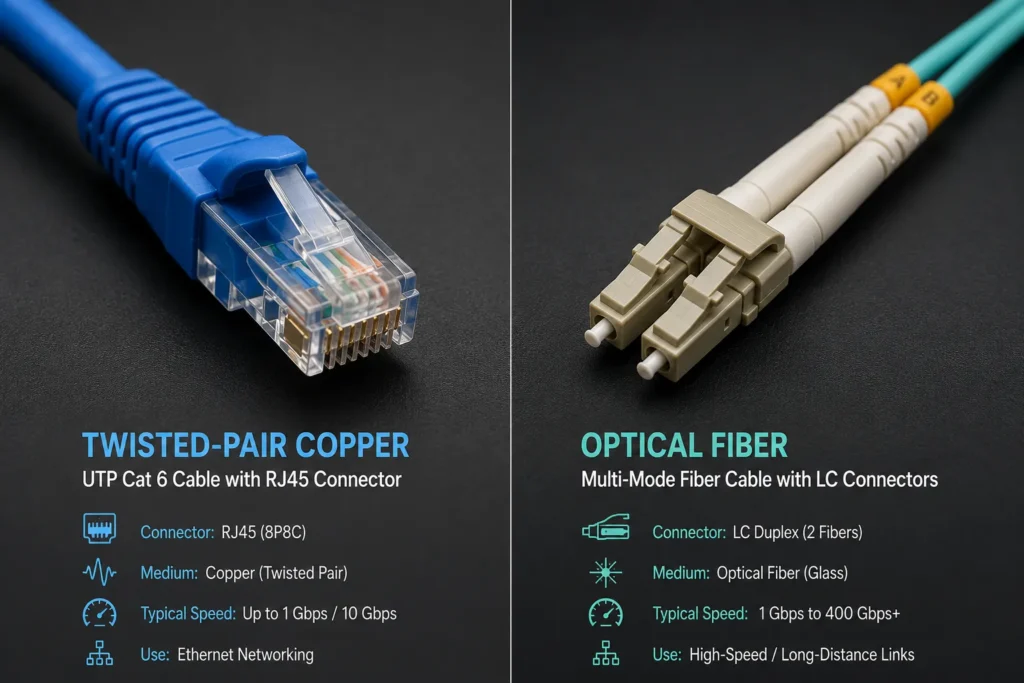
| 1000BASE-T | Gigabit Ethernet | 1000 Mbps (1 Gbps) | Cat 5e / Cat 6 | 100 m |
| 10GBASE-T | 10 Gigabit Ethernet | 10 Gbps | Cat 6a / Cat 7 | 100 m |
| 1000BASE-SX | Gigabit Ethernet (fiber) | 1000 Mbps | Multi-mode fiber | ~316 m |
| 1000BASE-LX | Gigabit Ethernet (fiber) | 1000 Mbps | Single/multi-mode fiber | ~316 m+ |
| 10GBASE-LR | 10G Ethernet (fiber) | 10 Gbps | Single-mode fiber | ~10 km |
A quick takeaway: as speed goes up, cabling requirements generally get stricter — better shielding, tighter twist ratios, and higher-quality connectors. This is exactly why a Gigabit network built on old Cat 5 cable often underperforms; the cabling simply can’t keep up with the standard.
Ethernet vs. Wireless: A Quick Contrast
While IEEE 802.3 governs wired Ethernet, its wireless cousin — IEEE 802.11, better known as Wi-Fi — governs wireless LANs. The two families solve the same basic problem (getting data from Point A to Point B) but through very different physical media, speeds, and ranges. Knowing this distinction helps when someone loosely says “the Ethernet” to mean “the network” in general — technically, Ethernet refers specifically to the wired standard.
Why Understanding Ethernet Standards Actually Matters
This isn’t just exam trivia. Picking the right standard affects real outcomes:
- Performance — deploying Gigabit Ethernet over unrated cabling wastes money and underdelivers
- Future-proofing — Cat 6a cabling today can support 10GBASE-T tomorrow without rewiring
- Cost control — fiber standards like 10GBASE-LR are excellent for long-distance backbone links, but overkill for a small office
- Interoperability — sticking to recognized standards avoids compatibility headaches between different vendors’ hardware
Frequently Asked Questions
100BASE-TX (Fast Ethernet) delivers 100 Mbps over Cat 5 cabling, while 1000BASE-T (Gigabit Ethernet) delivers ten times that speed — 1000 Mbps — and typically requires Cat 5e or better cabling for reliable performance.
Not strictly — 1000BASE-T is rated to work over Cat 5e. Cat 6 simply gives more headroom for longer runs and less interference, and it’s a safer choice if you might upgrade to 10GBASE-T later.
It doesn’t prevent collisions entirely — it detects them and manages recovery so the network keeps functioning smoothly instead of jamming up.
No. The Ethernet standard (like 1000BASE-T) defines the transmission rules, while the cable category (like Cat 6) defines the physical cable’s rated performance. A standard specifies which cable categories it needs to run properly.
Final Thoughts
Ethernet standards can feel like alphabet soup at first — 10BASE-T, 100BASE-TX, 1000BASE-T, 10GBASE-T — but every name follows the same predictable pattern: speed, transmission type, and medium. Once that clicks, reading any Ethernet spec sheet becomes second nature.
Next time you’re deploying or troubleshooting a network, you’ll know exactly why cable choice matters, what CSMA/CD is protecting your network from, and which standard actually fits your speed and distance requirements.