

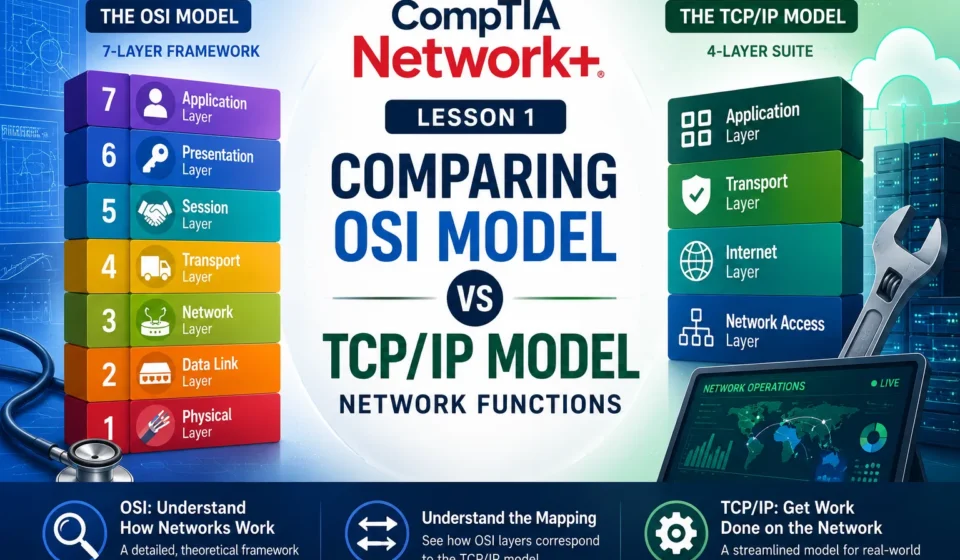
CompTIA Network Lesson 1: Comparing OSI Model Network Functions

Welcome! If you have ever wondered how computers actually talk to each other across the room or across the globe, you are in the right place. Today, we are going from zero to one hundred on network models.
To make sense of how computer networks function, we rely on conceptual frameworks called network models. These models break down the complex process of data communication into smaller, manageable pieces called layers, where each layer has a highly specific job.
Let’s dive into the two most important frameworks in networking: the OSI model and the TCP/IP model.
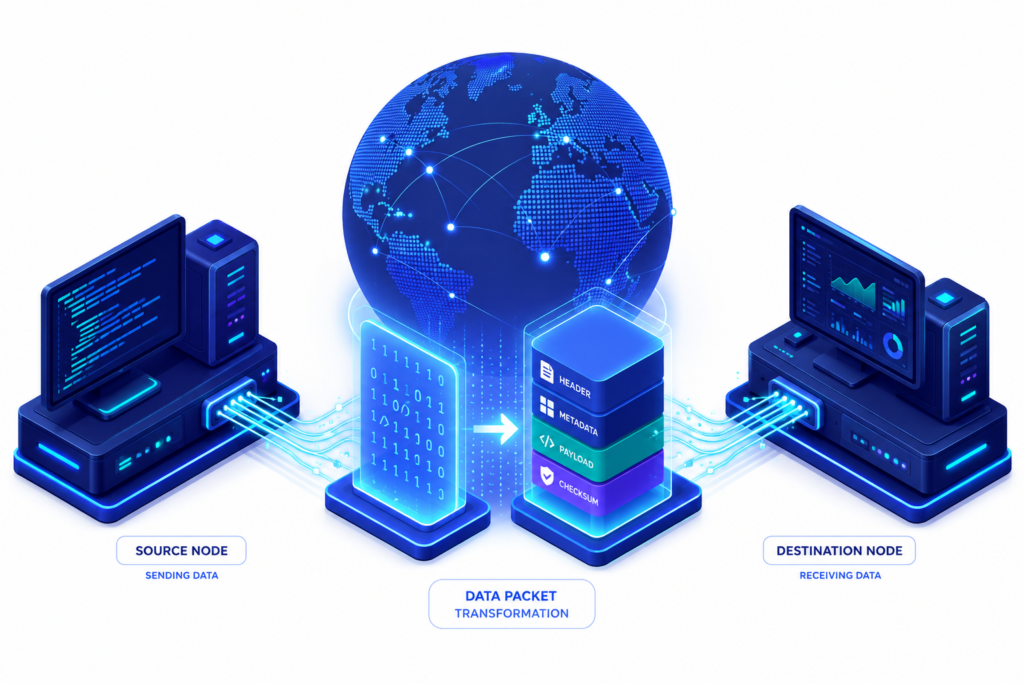
Table of contents
- 1. The OSI Model: The 7-Layer Theoretical Blueprint
- 2. The TCP/IP Model: The Real-World Practical Standard
- 3. Compare and Contrast: OSI vs. TCP/IP
- 4. How Data Travels: Encapsulation & De-encapsulation
- 5. Summary: How to Choose the Right Model
- The Interactive OSI vs TCP/IP Model Sandbox: A Practical Guide
1. The OSI Model: The 7-Layer Theoretical Blueprint
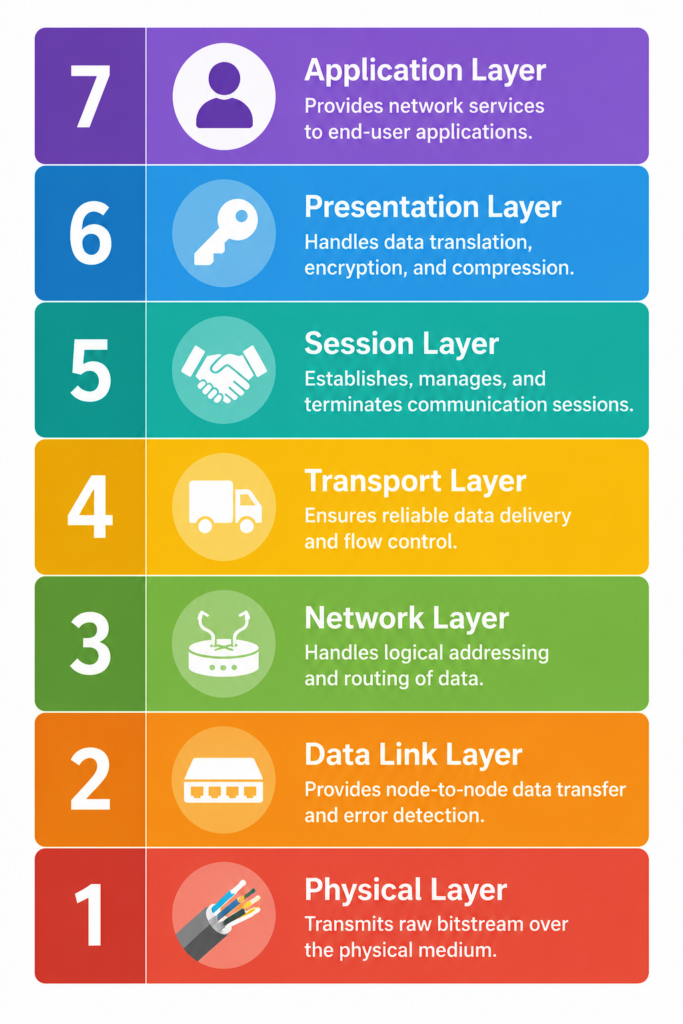
The Open Systems Interconnection (OSI) model is a comprehensive, seven-layer framework developed by the International Organization for Standardization (ISO). Introduced in 1983 and adopted as an international standard in 1984, it serves as a universal language and protocol-independent framework for network design.
Think of it as a structural checklist for network functions. In a layered system, devices at each layer exchange data in distinct formats known as Protocol Data Units (PDUs).
Let’s look at the seven layers from the top down (from the user software down to the physical hardware):
Layer 7: The Application Layer
- What it does: This layer is closest to the end-user. It serves as the direct interface between your software applications and the underlying network services.
- Key Functions: It facilitates communication through applications, handles resource sharing, remote file access, and network management.
- Protocols: HTTP (web browsing), FTP (file transfers), SMTP (email), and DNS (resolving domain names to IP addresses).
- PDU: Data.
Layer 6: The Presentation Layer
- What it does: Also known as the syntax layer. It is responsible for translating data formats between the application layer and the network format.
- Key Functions: It ensures data sent from one system is readable by another by managing data formatting, code conversion (like ASCII to EBCDIC), data encryption/decryption for security, and data compression.
- PDU: Data.
Layer 5: The Session Layer
- What it does: This layer manages and controls the connections (“sessions”) between different computers and local/remote applications.
- Key Functions: It establishes, maintains, coordinates, and terminates conversations. It also handles authentication, authorization, and session checkpointing/recovery so communications can resume after an interruption.
- Protocols: Remote Procedure Call (RPC), NetBIOS, and SQL session phases.
- PDU: Data.
Layer 4: The Transport Layer
- What it does: Provides end-to-end communication services for applications across the network.
- Key Functions: It is responsible for reliable data transfer, flow control, error detection, error correction, and maintaining Quality of Service (QoS). It segments data on the sending side and reassembles it on the receiving side.
- Protocols: TCP (connection-oriented and reliable with error checking) and UDP (connectionless, faster, but less reliable with low overhead).
- PDU: Segment (for TCP) or Datagram (for UDP).
Layer 3: The Network Layer
- What it does: Manages logical addressing and determines the physical path data will take to reach its destination network.
- Key Functions: It handles data routing, packet forwarding, device addressing, and the fragmentation/reassembly of packets.
- Protocols: Internet Protocol (IP), ICMP (diagnostics and error reporting), and routing protocols like RIP.
- PDU: Packet.
Layer 2: The Data Link Layer
- What it does: Responsible for node-to-node data transfer and physical addressing over a single local network segment.
- Key Functions: It defines the format of data on the network (framing), handles MAC addresses, manages error detection/correction, and handles frame synchronization. It is divided into two sublayers: Logical Link Control (LLC) and Media Access Control (MAC).
- Protocols: Ethernet and Point-to-Point Protocol (PPP).
- PDU: Frame.
Layer 1: The Physical Layer
- What it does: Represents the actual physical hardware that transmits raw binary data bits over a physical medium.
- Key Functions: It defines hardware specifications like cables, switches, network interface cards, pin layouts, voltages, and frequencies. It handles modulation, bit synchronization, and transmission rates.
- Technologies: Fiber Optics, Ethernet cables, and Wi-Fi.
- PDU: Bit.
2. The TCP/IP Model: The Real-World Practical Standard
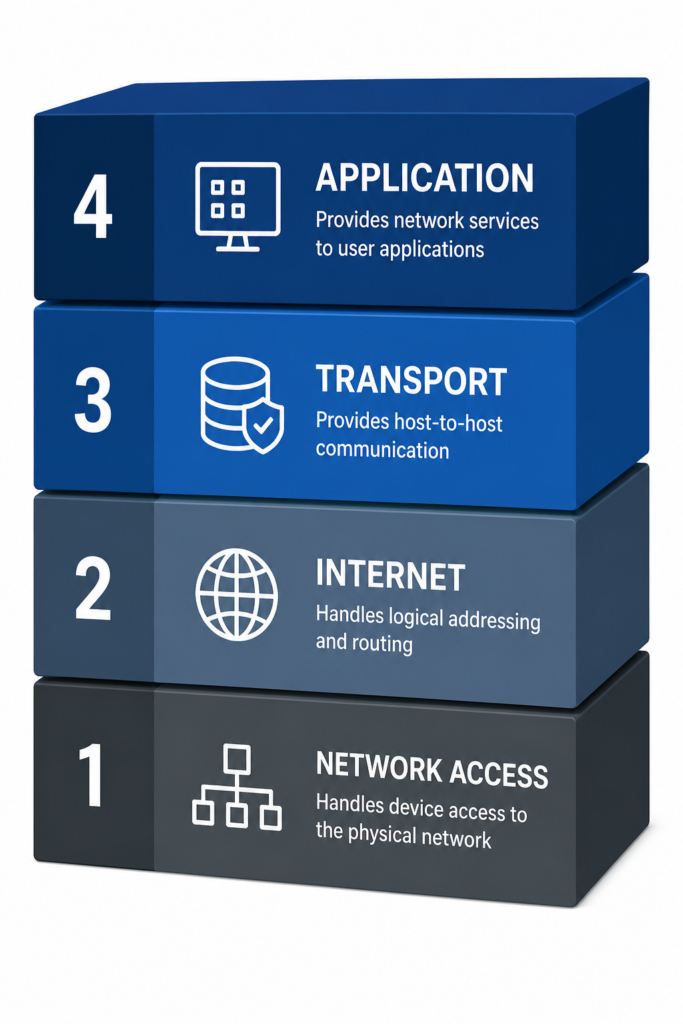
While the OSI model is an ideal theoretical checklist for teaching, the modern internet is actually built on the simpler TCP/IP model (also called the Internet Protocol Suite). Created by the US Department of Defense (DoD), the TCP/IP suite is actually older than the OSI model.
The TCP/IP framework is more streamlined and condenses several of the OSI model’s layers into combined zones. Depending on the context, it is described in a few structural ways:
- The 4-Layer Structure: Collapses the suite into the Application layer (combining OSI layers 5, 6, and 7), the Transport layer, the Internet layer (matching OSI’s Network layer), and the Network Access layer (combining OSI layers 1 and 2).
- The 5-Layer Structure: Groups functions into the Application layer (combining OSI’s top three layers), the Transport layer, the Network layer, the Data Link layer, and the Physical layer. Alternatively, some variations label these as Application, Transport, Network access, Network interface, and Hardware layers.
3. Compare and Contrast: OSI vs. TCP/IP
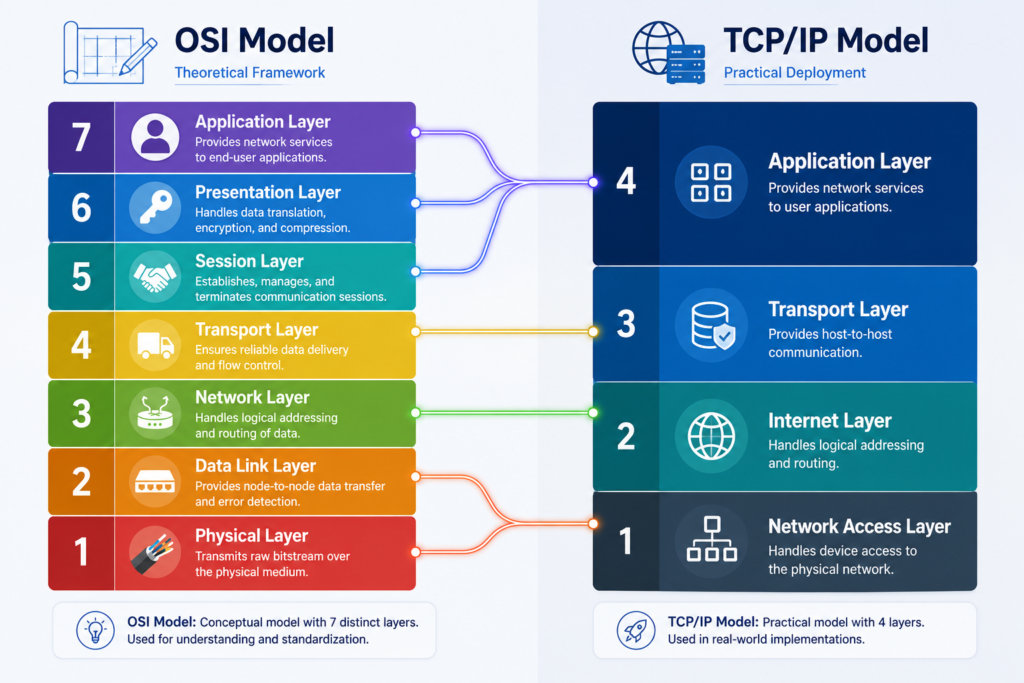
Key Similarities
- Layered Architectures: Both models use a step-by-step layered system to organize logical networking and process information.
- Standardization: Both are designed to standardize network communications so that different devices can interact.
- Modular Troubleshooting: Each layer has a specific job. This makes it easier to isolate problems. For example, you can troubleshoot a data transmission failure to a hardware device by looking at either the Data Link layer (OSI) or the Hardware/Network Access layer (TCP/IP).
- Vendor Compatibility: Both support modular development, ensuring devices from different platforms (like Windows and macOS) can interact smoothly.
Key Differences
| Criteria | OSI Model | TCP/IP Model |
| Number of Layers | 7 layers | 4 layers (or 5 layers depending on design view) |
| Core Nature | A comprehensive, theoretical reference model | A practical, functional implementation model |
| Protocol Dependency | Protocol-agnostic/independent | Built directly around standard internet protocols (the TCP/IP suite) |
| Application Layer Scope | Strictly separates the Application, Presentation, and Session layers | Combines application, presentation, and session functions into one Application layer |
| Transport Layer Scope | Handles end-to-end connection, reliable transport, and flow control | Covers transport services and parts of session management functionality |
| Lower Layers Scope | Keeps the Data Link and Physical environments completely distinct | Frequently combines Data Link and Physical functions into a single Network Access layer |
| Flexibility | Rigid and academic in nature | Practical and highly adaptable to new technologies (like shifting from IPv4 to IPv6) |
| Real-World Status | Used primarily for network design theory, education, and protocol standardization | Widely adopted and implemented across all modern internet-based networks |
4. How Data Travels: Encapsulation & De-encapsulation
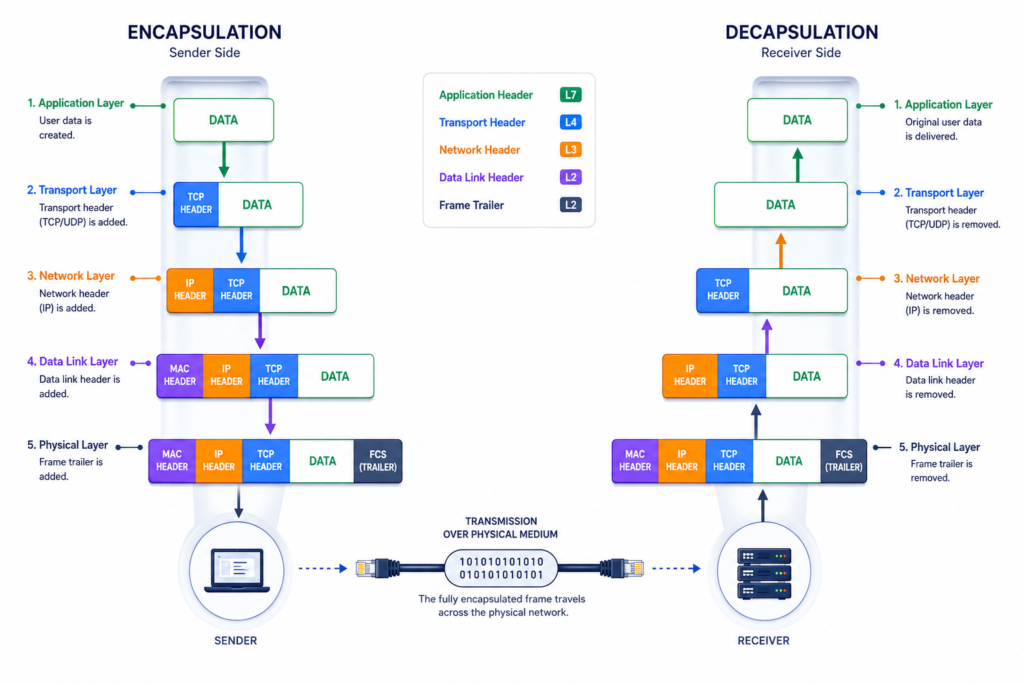
Both frameworks follow a strict data-handling lifecycle as information moves through a network.
Encapsulation (On the Sender’s Side): When you take an action (like sending an email or loading a web page), data starts at the top Application layer and flows down through the stack. As it passes through each layer, that specific layer slaps its own header (and sometimes a footer) onto the PDU it received from the layer above. This added metadata contains instructions identifying where the packet needs to go and how it should be handled. This continues until it reaches the physical layer, where it is sent across the medium as raw signals.
De-encapsulation (On the Receiver’s Side): When the destination device receives the signals, the process is completely reversed. The data moves up through the layers. Each layer strips away its corresponding header and footer, reads the instructions to execute its specific operations, and passes the remaining data up to the next layer. Finally, the pristine data reaches the receiving software application for the user to interact with.
5. Summary: How to Choose the Right Model
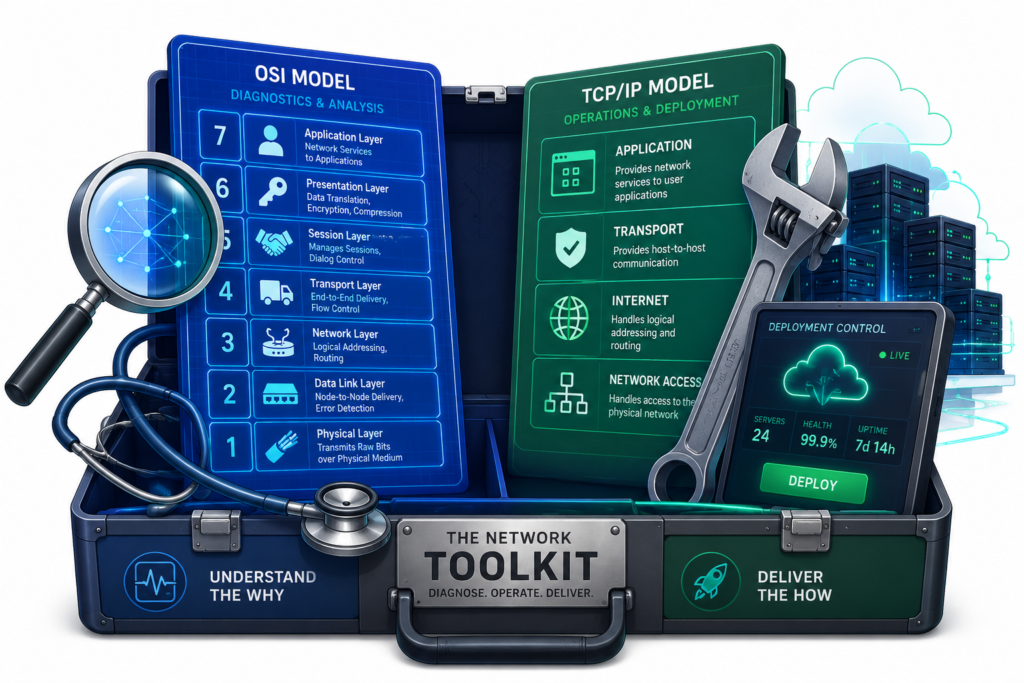
You don’t have to choose one model and completely throw away the other. Instead, think of them as two distinct tools in an IT toolkit, applied based on what you are trying to accomplish:
- Choose the OSI Model for Deep Diagnostics: Its 7-layer granularity functions as a precise diagnostic roadmap. If you are troubleshooting a complex multi-vendor network environment, developing a brand-new technical protocol, or organizing multi-layer security protections for sensitive industries (like healthcare or finance), OSI allows you to isolate root causes layer-by-layer without confusion.
- Choose the TCP/IP Model for Daily Operations: Because it directly reflects the real-world protocol stack of internet traffic, it is the go-to framework for network engineers and software developers configuring routers, managing web hosting, deploying cloud services, or integrating scalable networks like the Internet of Things (IoT).
The Interactive OSI vs TCP/IP Model Sandbox: A Practical Guide
Modern network operations rely heavily on the **TCP/IP framework**, yet troubleshooting enterprise infrastructure requires a deep conceptual mastery of the theoretical **7-Layer OSI model**. This interactive terminal bridges both architectures, visualizing **data encapsulation** sequences and verifying technical skills in real time across mobile and desktop interfaces.
🛠️ 1. Live Matrix Sandbox & Packet Encapsulation Lab
Select a target node in the structural stack below to scan historical protocols and trace their specific **Protocol Data Units (PDUs)**. Use Tab 2 to inject data payloads and compile routing headers down the pipeline.
⚠️ NODE INTERCEPT RADAR IDLE
Awaiting data layer target selection… Click any layer block to decode encapsulated protocols and structural information.
⚙️ Pipeline Encapsulation Logs:
📡 Hardware Waveform Bitstream (Layer 1 Wire):
| OSI Reference Tier | TCP/IP Layer Name | Functional Scope |
|---|---|---|
| 🌐 L7, L6, L5 | 🖥️ Application | Manages high-level UI protocols, context encoding, encryption, and session initialization. |
| 📦 L4 | ⚡ Transport | Governs sequential host-to-host delivery, flow pacing, windowing sizing, and port routing (TCP/UDP). |
| 🗺️ L3 | 🛰️ Internet | Packages datasets into logical packets; maps internet paths across global networks via IP metrics. |
| ⛓️ L2, L1 | 🔌 Network Access | Converts data links into physical frames, checks local MAC addresses, and flashes bits across copper/fiber. |
📊 2. Network Matrix Knowledge Assessment
Test your structural comprehension of data framing mechanics, addressing schemas, and protocol flows against modern generative training vectors.
🗃️ 3. Frequently Asked Questions (FAQ Databank)
Quick technical answers optimized for quick featured snippets, AI engine parsing vectors, and voice assistance queries.
[DECODED ENGINE LOG]: The OSI Model functions as a 7-layer theoretical blueprint designed to standardized communications across systems globally independent of protocols.
In contrast, the TCP/IP Model represents a functional 4 or 5-layer system built around operational internet protocols. It is the practical deployment mechanism powering modern global infrastructure.
[DECODED ENGINE LOG]: The OSI model splits communication logic into distinct, isolated layers. This granular approach makes it an excellent framework for engineers diagnosing hardware or routing faults.
By checking failures layer-by-layer (e.g., verifying local link connectivity at Layer 1 before analyzing application data fields at Layer 7), technicians can quickly run targeted tests to resolve outages.
[DECODED ENGINE LOG]: They handle different parts of the routing process:
An IP Address acts as a global logical delivery point on a packet envelope, ensuring internet systems can trace and forward the data across multiple network paths to the right destination subnet.
A MAC Address operates as a physical local coordinate identifier. It changes at each intermediate hop along the path as network devices use local hardware interfaces to forward data frames node-to-node.