
Kali Linux Complete Guide 2026: From Linux Basics to Penetration Testing | Kali Linux Revealed

Let’s be honest: most people install Kali Linux before they’re ready for it. They’ve seen it in a YouTube video, heard a hacker mention it, and assumed the tools would do the heavy lifting. They don’t. Kali is a platform — a sharp instrument. And like any sharp instrument, it rewards skill and punishes carelessness.
This guide changes that. Whether you’re opening a terminal for the first time or preparing for the Kali Linux Certified Professional (KLCP) exam, you’ll leave understanding exactly how Kali works, why it’s built the way it is, and how to use it properly — updated with everything new in 2026.
01. What Is Kali Linux — and Why Does It Exist?
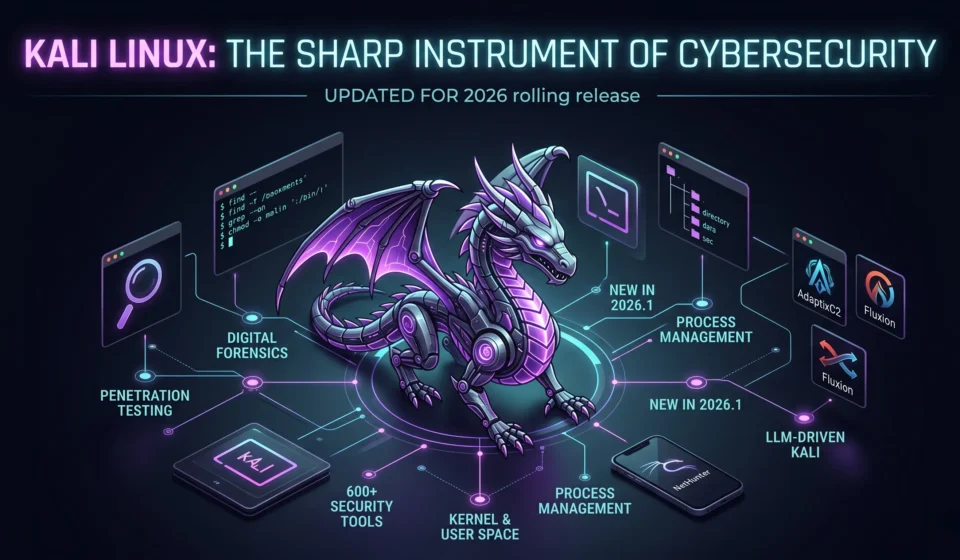
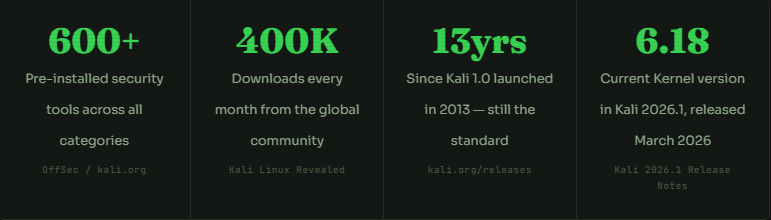
Kali Linux is a Debian-based Linux distribution built specifically for penetration testing, digital forensics, reverse engineering, and security research. OffSec maintains it and ships with 600+ pre-installed security tools — everything from network scanners to password crackers to wireless injection utilities.
But Kali is not just a tool collection. It’s a carefully engineered platform where every design decision serves one purpose: helping security professionals work faster, smarter, and more reliably during assessments.
Important: Kali Linux is not a general-purpose OS. It is not designed as your daily driver for browsing, email, or development. It is purpose-built for security professionals and students. If you’re new to Linux, spend time on any mainstream distro first — Ubuntu, Debian, or Fedora work well for this.
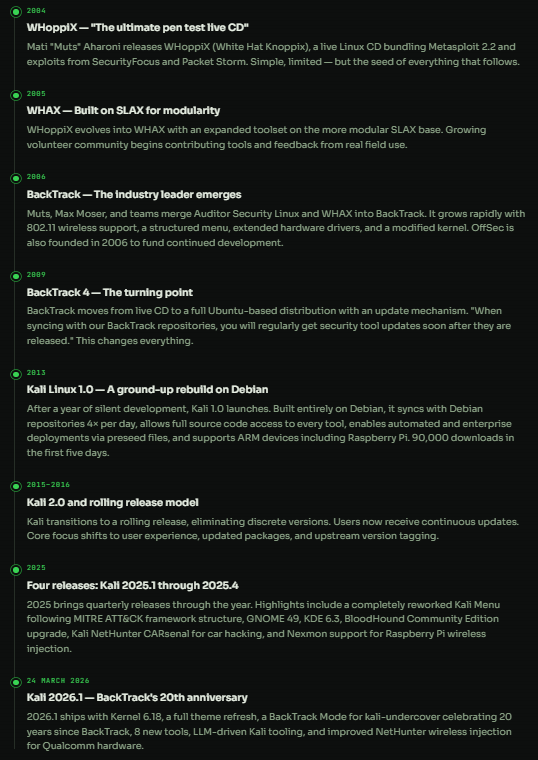
02. From WHoppiX to Kali 2026.1 — The Full History
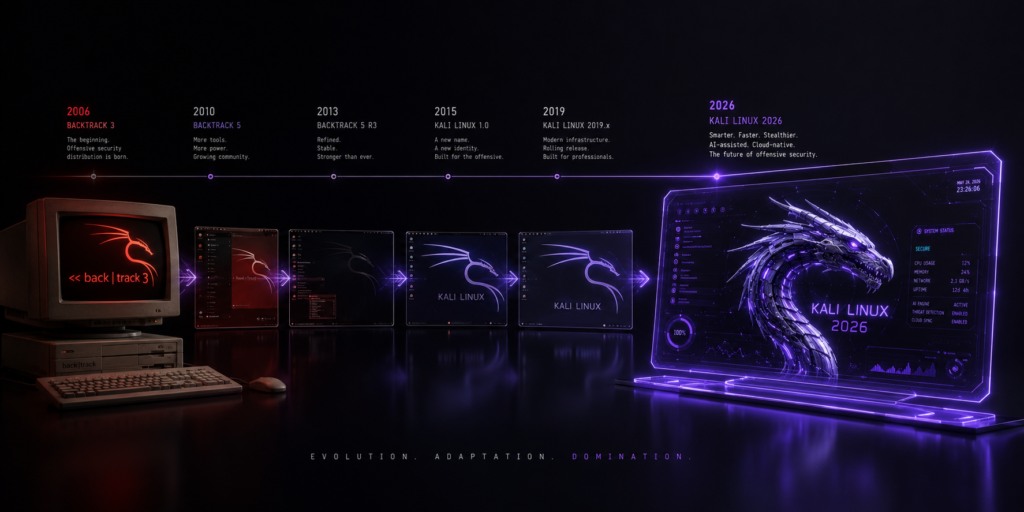
Kali didn’t appear out of nowhere. It’s the result of over 20 years of iteration, frustration, and genuine community effort. Understanding where it came from helps you understand what it’s designed to do.
03. Understanding the Linux Kernel & User Space
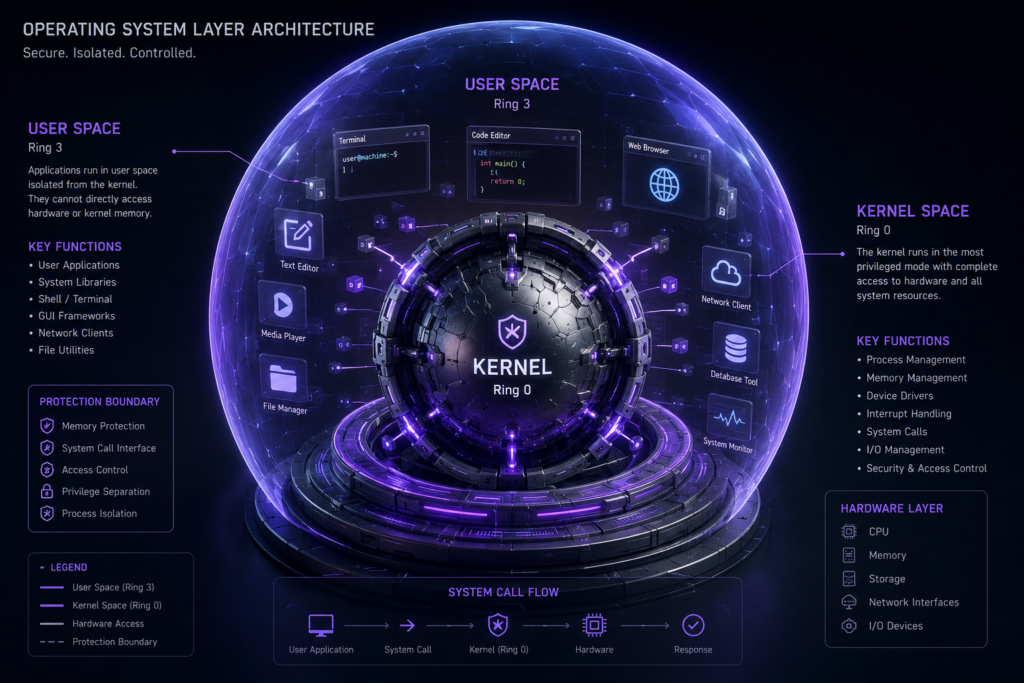
When people say “Linux,” they usually mean the entire operating system. Technically, Linux is only the kernel — the core program that starts after your BIOS/UEFI hands off control, and which manages everything underneath your applications.
The kernel runs in “ring zero” — the highest privilege level on modern CPUs. It manages hardware, schedules processes, enforces permissions, and provides a unified interface to everything underneath. Kali 2026.1 runs on Kernel 6.18.
Everything else — your shell, your tools, your desktop environment — runs in user space: a protected environment where programs can’t directly access hardware or interfere with each other.
What the kernel actually does
The kernel has four primary jobs. All four matter deeply for security work:
Hardware control
Detects, configures, and manages physical devices. Exports hardware info via /proc/ and /sys/. Creates device files in /dev/ for disks, input, audio, and serial ports.
Filesystem unification
Merges all storage into one hierarchy starting at the root /. Supports ext4, VFAT, NFS, and many others. Multiple disks mount at arbitrary points in the tree.
Process management
Creates processes, assigns PIDs, divides CPU time into millisecond slices, schedules across cores, and manages priorities. Multi-core systems run processes in true parallel.
Rights management
Enforces a multi-user permission model. Every process runs as a user. Every file has an owner, group, and permissions. The kernel checks every access request against these rules.
kali@kali:~$ uname -a
Linux kali 6.18.12+kali-amd64 #1 SMP PREEMPT_DYNAMIC Kali 6.18.12-1kali1 (2026-02-25) x86_64 GNU/Linux

kali@kali:~$ uname -r
6.18.12+kali-amd64

kali@kali:~$ journalctl -r
# Shows system logs newest-first

kali@kali:~$ dmesg | tail -20
# Kernel ring buffer — hardware events, device loads
04. Essential Linux Commands You Must Know
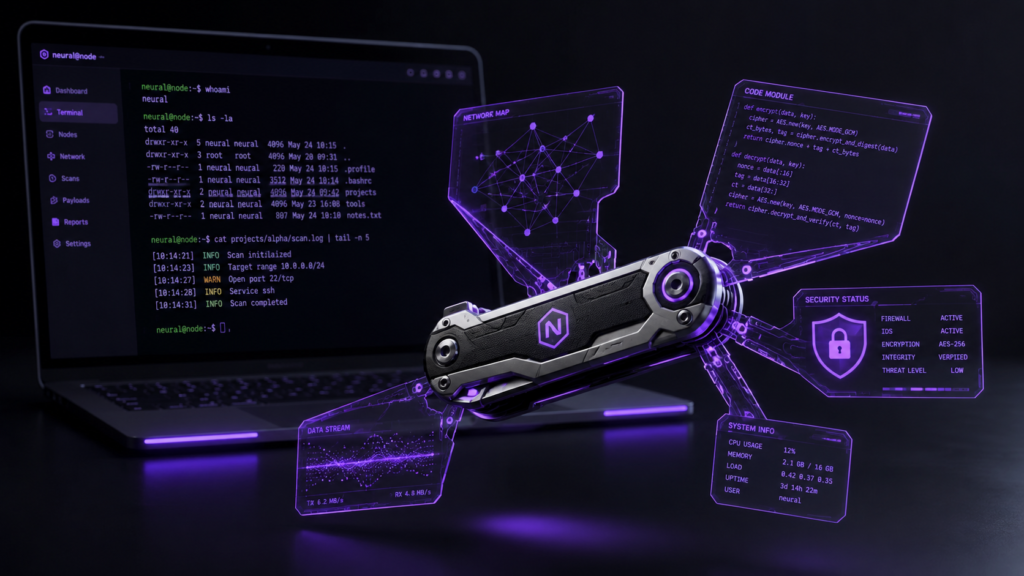
A minimalist floating command-line terminal window in a dark digital void. Inside the terminal, clean lines of code are executing, with specific security commands like “find”, “grep”, and “ls -la” softly highlighted in glowing green and neon purple. Abstract streams of binary data packets flow quietly around the window.
In penetration testing, you often get a shell on a compromised system — no GUI, no graphical file manager, no point-and-click. Command-line fluency is not optional. These are the commands you need to be fast with.
Navigation & file management
| Command | What it does | Key example |
|---|---|---|
| pwd | Print your current directory | Always know where you are |
| cd [dir] | Change directory. cd - goes back. cd ~ goes home. | cd /etc/ssh |
| ls -la | Read file contents. less pages of large files. | Spot .ssh, .bash_history |
| mkdir / rmdir | Create or remove a directory | mkdir -p tools/recon |
| cp / mv / rm | Copy, move, or delete files and directories | cp -r /etc /tmp/backup |
| cat / less | Print text or variable contents to the terminal | cat /etc/passwd |
| echo | Print text or variable contents to terminal | echo $PATH |
| find | Search the filesystem by name, size, type, and permissions | find / -perm -4000 2>/dev/null |
| grep | Search file contents with regular expressions | grep -r "password" /var/www/ |
| which / type | Locate a command or identify its type (builtin vs binary) | which nmap |
System information
| Command | What it does | Key use case |
|---|---|---|
| id | Show current user, UID, GID, and group memberships | First thing to run after getting shell access |
| free -h | Available and used RAM in human-readable format | Check memory before running heavy tools |
| df -h | Disk space available on each mounted filesystem | Avoid running out mid-assessment |
| uname -a | Full kernel and hardware platform info | Verify the USB wireless adapter is detected |
| lspci | List all PCI hardware devices | Identify network and GPU hardware |
| lsusb | List all connected USB devices | Verify USB wireless adapter is detected |
| dmesg | Kernel message log — hardware events, driver loads | Debug network cards, USB devices |
| journalctl -u [svc] | Log output for a specific service | journalctl -u ssh.service |
Practical examples
# Find all SUID files — a classic privilege escalation check
kali@kali:~$ find / -perm -4000 -type f 2>/dev/null

# Search for passwords in web files
kali@kali:~$ grep -r "password" /var/www/html/

# Show running processes with details
kali@kali:~$ ps aux | grep nginx

# Who am I, and what groups do I have?
kali@kali:~$ id
uid=1000(kali) gid=1000(kali) groups=1000(kali),27(sudo)

# Check disk space
kali@kali:~$ df -h
Filesystem      Size  Used Avail Use% Mounted on
/dev/sda1 30G 11G 18G 39% /05. The Linux Filesystem Hierarchy (FHS)
Linux organises everything — files, devices, configuration, logs, hardware — into a single directory tree starting at / (root). This layout is standardised by the Filesystem Hierarchy Standard (FHS), so once you know it in Kali, you know it on every Linux system.
For penetration testers, this matters because you need to instantly know where things live on a compromised machine. Configuration files in /etc. Logs in /var/log. Credentials potentially in /home dotfiles or /root.
/bin/ & /sbin/ : Essential programs and system programs. ls, cat, chmod All live here.

/etc/: All system-wide configuration files. /etc/passwd, /etc/shadow, /etc/ssh/ — treasure for attackers, critical for admins.

/home/: User home directories. Each user's personal files, dotfiles, and SSH keys live here. Referred to as ~ in the shell.

/root/: The root user's home directory — separate from /home. Access means full system compromise.

/var/log/: System and service logs. Check here for intrusion indicators, service errors, and authentication events.

/dev/: Device files. Block devices (/dev/sda) and character devices (/dev/ttyS0). Everything is a file in Linux.

/proc/ & /sys/ : Virtual kernel filesystems. Not on disk — generated live. Shows running processes, kernel parameters, and hardware state.

/tmp/: World-writable temporary storage. Cleared on boot. Frequently abused by attackers as a writable drop zone for payloads.

/opt/ & /usr/local/ : Third-party and manually installed applications. Tools installed outside the package manager go here.
# Check what's in /etc — always a first stop
kali@kali:~$ ls -la /etc/ | head -20

# Find world-writable directories (potential upload targets)
kali@kali:~$ find / -type d -perm -o+w 2>/dev/null

# Find rockyou.txt wordlist (stored as gzip)
kali@kali:~$ locate rockyou.txt.gz
/usr/share/wordlists/rockyou.txt.gz

# Check what type a device is — block or character?
kali@kali:~$ file /dev/sda1
/dev/sda1: block special (8/1)

kali@kali:~$ file /dev/snd/seq
/dev/snd/seq: character special (116/1)
06. File Permissions — Explained Simply
Linux file permissions are one of the most important concepts for both system administration and penetration testing. Misconfigured permissions are a leading cause of privilege escalation vulnerabilities. Knowing how they work is not optional.
Reading permission strings
Run ls -l And you’ll see strings like -rwxr-xr--. Here’s exactly what each character means:

Octal notation — the quick way
Each permission type has a numeric value: Read = 4, Write = 2, Execute = 1. Add them up for each user class. The most common combinations:
| Octal | Symbolic | Meaning | Common use |
|---|---|---|---|
| 755 | rwxr-xr-x | Only the owner can read/write. No group or other access. | Executable files, directories |
| 644 | rw-r–r– | Owner can read/write; others read only | Config files, documents |
| 600 | rw——- | SUID bit set — runs with the owner’s privileges | SSH private keys, secrets |
| 4755 | rwsr-xr-x | SUID bit set — runs with owner’s privileges | System binaries like passwd |
| 777 | rwxrwxrwx | Everyone has full access — a security red flag | Never for production use |
pentest note — SUID files
The SUID bit (4755) causes a file to run with its owner’s privileges, not the caller’s. A SUID root binary effectively grants root rights to whoever executes it. Penetration testers regularly search for these as privilege escalation paths:
# Change permissions — symbolic notation
kali@kali:~$ chmod u=rwx,g+rw,o-r myfile.sh

# Change permissions — octal notation (755 = rwxr-xr-x)
kali@kali:~$ chmod 755 /usr/local/bin/myscript.sh

# Change file owner and group
kali@kali:~$ chown kali:kali secret.txt

# Find all SUID root executables — privilege escalation check
kali@kali:~$ find / -user root -perm -4000 2>/dev/null
/usr/bin/passwd
/usr/bin/sudo
/usr/lib/openssh/ssh-keysign

# Check your own permissions
kali@kali:~$ ls -l /dev/sda /dev/ttyS0
brw-rw---- 1 root disk    8,  0 Mar 21 08:44 /dev/sda
crw-rw---- 1 root dialout 4, 64 Mar 30 08:59 /dev/ttyS0
07. Managing Processes Like a Pro
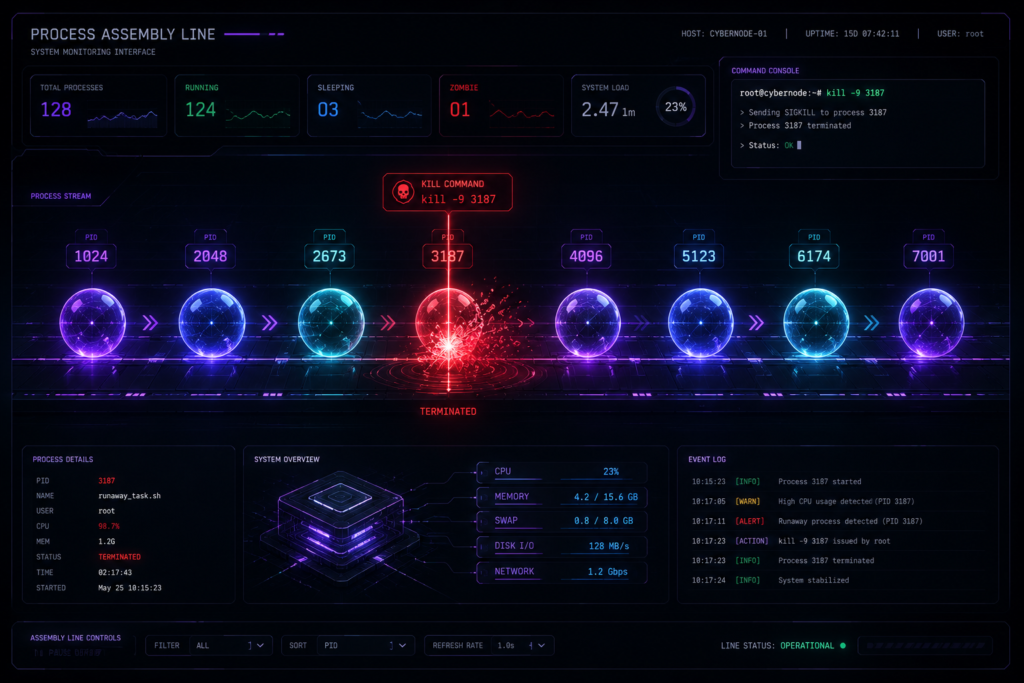
A process is a running instance of a program. The kernel gives it a unique Process ID (PID), allocates memory, and schedules its CPU time. Understanding process management lets you run tools efficiently, kill runaway scans, and work with background jobs.
# Run a long ping in background
kali@kali:~$ ping -i 10 localhost &
[1] 3605

kali@kali:~$ ping -i 10 127.0.0.1 &
[2] 3606

# List background jobs with PIDs
kali@kali:~$ jobs -l
[1]-  3605 Running   ping -i 10 localhost &
[2]+  3606 Running   ping -i 10 127.0.0.1 &

# Kill job 1 by job number
kali@kali:~$ kill %1

# Bring job 2 to foreground, then pause it
kali@kali:~$ fg %2
# Press Ctrl+Z to pause, then:
kali@kali:~$ bg %2
# Resumes job 2 in background

# Show all running processes
kali@kali:~$ ps aux | head -10

# Kill by PID (TERM = graceful, KILL = forced)
kali@kali:~$ kill -TERM 3606
kali@kali:~$ kill -KILL 3606
08. What’s New in Kali 2026.1
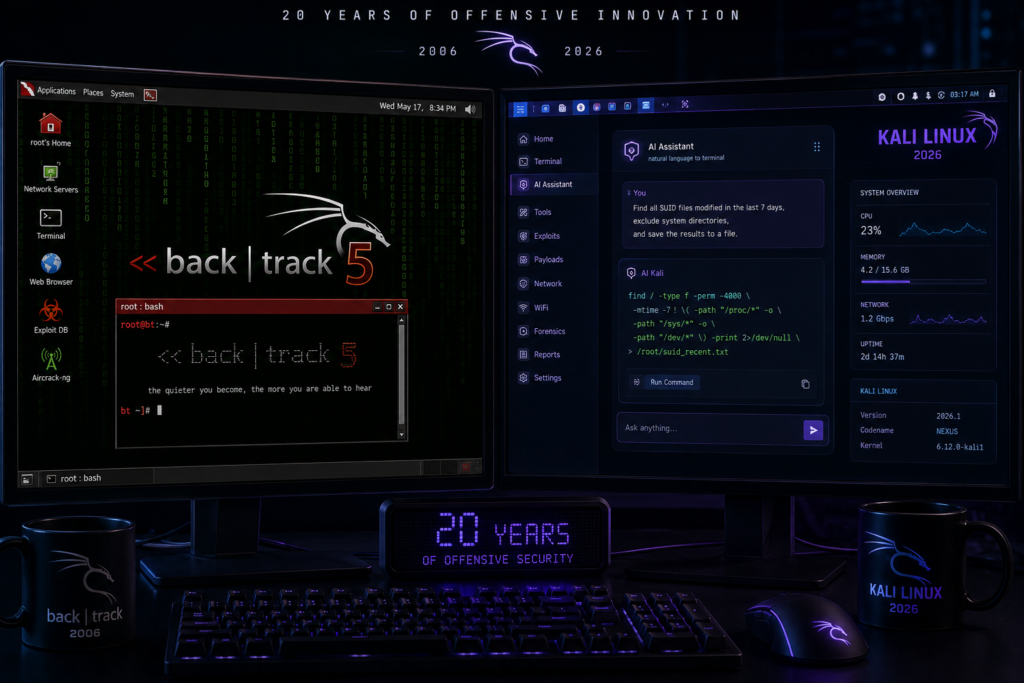
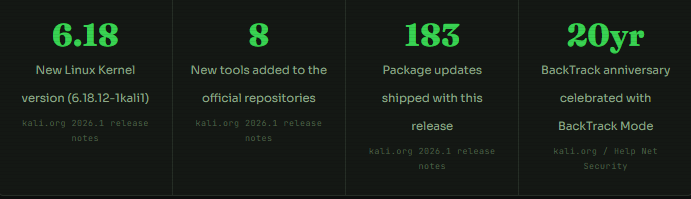
Kali 2026.1 was released on 24 March 2026 — the first 2026 rolling release, running Kernel 6.18. It’s a significant update with both cosmetic and functional improvements.
Major highlights
2026 Theme Refresh — As with previous annual releases, 2026.1 brings a complete visual overhaul: new boot menu, boot animation, installer artwork, login display, and a fresh set of desktop wallpapers. The boot animation is also fixed for live images, where it previously got stuck.
BackTrack Mode — 2026 marks the 20th anniversary of BackTrack Linux, the predecessor to Kali. Kali-undercover now includes a BackTrack mode — run kali-undercover --backtrack from the terminal to transform your desktop to look and feel like BackTrack 5, as a nod to where it all began.
LLM-Driven Kali — Kali is extending its LLM-driven series, where natural language replaces manual command input — letting users describe desired actions in plain English and having an integrated Large Language Model translate them into technical commands.
8 new tools in 2026.1
- AdaptixC2: Extensible post-exploitation and adversarial emulation framework
- Atomic-Operator: Execute Atomic Red Team tests across multiple operating systems
- Fluxion: Security auditing and social-engineering research tool
- GEF: Modern GDB experience with advanced debugging capabilities for binary exploitation
- + 4 more: See the full list and install notes at Kali Linux Official
NetHunter improvements
The NetHunter app receives fixes for the WPS scan bug, HID permission handling, and the back button. The Redmi Note 8 gets a new kernel for Android 16. On the Samsung S10 series, a patch to libnexmonkali fixes the use of internal wireless firmware in Kali chroot, bringing reaver, bully, and kismet into working order on those devices. A first working wireless injection patch for QCACLD 3.0 hardware also lands in this release.
How to upgrade to Kali 2026.1
# Update package list and upgrade everything
kali@kali:~$ sudo apt update && sudo apt -y full-upgrade

# Copy fresh skeleton config files
kali@kali:~$ cp -vrbi /etc/skel/. ~/

# Reboot if required
kali@kali:~$ [ -f /var/run/reboot-required ] && sudo reboot -f

# Verify your new version
kali@kali:~$ grep VERSION /etc/os-release
VERSION="2026.1"
VERSION_ID="2026.1"
VERSION_CODENAME="kali-rolling"

kali@kali:~$ uname -r
6.18.12+kali-amd64
Key takeaways from this guide
- Linux is the kernel, not the full OS. Kali adds a shell, tools, and a desktop on top of Kernel 6.18.
- Kali evolved from WHoppiX (2004) → WHAX → BackTrack → Kali 1.0 (2013) → Rolling release → Kali 2026.1.
- Command-line fluency is non-negotiable. In real assessments, you get a shell, not a GUI.
- The FHS gives every file a predictable home. Knowing
/etc,/var/log,/tmpinstantly makes you faster on any Linux system. - Permissions protect systems — and misconfigured SUID files are one of the most common privilege escalation paths.
- Kali 2026.1 ships Kernel 6.18, 8 new tools, BackTrack Mode, and LLM-driven command input.
- Upgrade with two commands:
sudo apt update && sudo apt full-upgrade.
FAQ
Kali Linux is the world’s most popular penetration testing Linux distribution, maintained by OffSec. It ships with 600+ pre-installed security tools covering vulnerability assessment, network analysis, password cracking, wireless testing, forensics, and reverse engineering — all on a rock-solid Debian base with rolling updates via apt. It’s used by ethical hackers, red teams, security researchers, and students preparing for certifications like OSCP and KLCP.
Ali is designed for security professionals, not everyday Linux use. If you’re brand new to Linux, start with Ubuntu or Debian for 2–3 months first — learn the command line, file system, and package management in a low-stakes environment. Then move to Kali with a solid foundation. The Kali Linux Revealed course provides a structured beginner-to-professional on-ramp specifically for Kali users.
The latest release is Kali Linux 2026.1, released on 24 March 2026. It runs Linux Kernel 6.18 (specifically 6.18.12-1kali1), introduces a 2026 theme refresh, a BackTrack mode for kali-undercover celebrating BackTrack’s 20th anniversary, 8 new tools including AdaptixC2 and Fluxion, and 183 package updates. Existing users can upgrade with sudo apt update && sudo apt full-upgrade.
The Linux kernel is the core program that manages hardware, processes, memory, and permissions. It runs in “ring zero” — the highest CPU privilege level. The full operating system (like Kali Linux) adds a shell (ZSH by default), GNU core utilities, a desktop environment, and applications on top of that kernel. When people say “Linux,” they typically mean the full OS. Technically, “Linux” is just the kernel. Kali 2026.1 runs on Kernel 6.18.
The essential set covers: pwd, cd, ls -la (navigation), cat, less, grep, find (reading and searching), mkdir, cp, mv, rm (file management), chmod, chown (permissions), ps aux, kill, jobs, bg, fg (process management), and id, uname -a, free -h, df -h, lspci, lsusb, dmesg, journalctl (system information). In a real assessment, you’ll use most of these within the first 10 minutes of shell access.
Every file has three sets of permissions for three user classes: owner (u), group (g), and others (o). Each set has read (r=4), write (w=2), and execute (x=1) flags. Common values: 755 = owner rwx, group rx, others rx (for executables); 644 = owner rw, group r, others r (for data files); 600 = owner rw only (for SSH keys). Use chmod 755 file to set permissions, chown user:group file to change ownership. The SUID bit (4755) causes a file to run with the owner’s privileges — a critical privilege escalation vector in pentesting.
The main differences: Kali is based on Debian Testing (rolling release) — so you always have the latest packages without reinstalling. It ships 600+ pre-installed security tools, a kernel patched for wireless injection (802.11), NetHunter for mobile devices, and is specifically configured for security assessments. Ubuntu and Debian are general-purpose distributions optimised for stability and everyday use. Kali is not recommended as a daily driver for non-security tasks — it runs many services disabled by default that would be noisy in regular use.
Kali NetHunter is a mobile penetration testing platform that brings Kali Linux to Android devices — phones and tablets. It runs a full Kali chroot environment on Android, allowing professionals to run Kali tools from their phone. Kali 2026.1 includes NetHunter fixes for the WPS scan bug, HID permissions, and the back button, plus first-working wireless injection support for Qualcomm QCACLD 3.0 hardware. The Redmi Note 8 received a new kernel for Android 16, and the Samsung S10 series gained full reaver, bully, and kismet support through a libnexmonkali patch.
The FHS is a standard that defines what goes in which directory on any Linux system. The key directories for security work: /etc holds all configuration files (including /etc/passwd, /etc/shadow, and SSH configs); /var/log holds logs; /tmp is world-writable and often used as a payload drop zone; /dev holds device files; /proc and /sys expose live kernel and process information. Knowing the FHS means that when you land on any Linux system, you immediately know where to look for credentials, logs, misconfigurations, and privilege escalation opportunities.
find searches the filesystem in real time — it’s always current but can be slow on large systems. locate searches a pre-built database (updated by updatedb) — It’s much faster but may be stale if the database hasn’t been updated recently. Pentesting findings are generally more reliable since it shows the actual current state. Use time find / -name rockyou.txt.gz vs time locate rockyou.txt.gz to benchmark both on your system. Kali’s wordlists (like rockyou.txt.gz) are at /usr/share/wordlists/.